3.4 KiB
Getting Started
Installing Angular CLI
Nx is just a set Angular CLI power-ups, so an Nx workspace is an Angular CLI workspace. This means that it will be handy to have the Angular CLI installed globally, which can be done via npm or yarn.
npm install -g @angular/cli
Creating an Nx Workspace
Using npx
npx --ignore-existing create-nx-workspace myworkspace
Using npm init
npm init nx-workspace myworkspace
Using yarn create
yarn create nx-workspace myworkspace
Adding to an Existing Angular CLI workspace
If you already have a regular Angular CLI project, you can add Nx power-ups by running:
ng add @nrwl/workspace
Adding Capabilities
Unlike the Angular CLI, an Nx workspace starts blank. There are no applications to create, build, serve, and test. Capabilities other code generation and build tooling that you may add to your workspace. To add capabilities to the workspace:
ng add @nrwl/angular # Adds Angular capabilities
ng add @nrwl/react # Adds React capabilities
ng add @nrwl/nest # Adds Nest capabilities
ng add @nrwl/express # Adds Express capabilities
ng add @nrwl/web # Adds Web capabilities
ng add @nrwl/node # Adds Node capabilities
Creating your First Application
After the capability is added, you can now create your first application via:
ng g @nrwl/angular:application myapp
The result will look like this:
<workspace name>/
├── README.md
├── angular.json
├── apps/
│   ├── myapp/
│   │   ├── src/
│   │   │   ├── app/
│   │   │   ├── assets/
│   │   │   ├── environments/
│   │   │   ├── favicon.ico
│   │   │   ├── index.html
│   │   │   ├── main.ts
│   │   │   ├── polyfills.ts
│   │   │   ├── styles.scss
│   │   │   └── test.ts
│   │   ├── browserslist
│   │   ├── jest.config.js
│   │   ├── tsconfig.app.json
│   │   ├── tsconfig.json
│   │   ├── tsconfig.spec.json
│   │   └── tslint.json
│   └── myapp-e2e/
│       ├── cypress.json
│       ├── src/
│       │   ├── fixtures/
│       │   │   └── example.json
│       │   ├── integration/
│       │   │   └── app.spec.ts
│       │   ├── plugins/
│       │   │   └── index.ts
│       │   └── support/
│       │       ├── app.po.ts
│       │       ├── commands.ts
│       │       └── index.ts
│       ├── tsconfig.e2e.json
│       ├── tsconfig.json
│       └── tslint.json
├── libs/
├── nx.json
├── package.json
├── tools/
├── tsconfig.json
└── tslint.json
All the files that the Angular CLI would have in a new project are still here, just in a different folder structure which makes it easier to create more applications and libraries in the future.
Serving Application
Run ng serve myapp to serve the newly generated application!
Using Angular Console
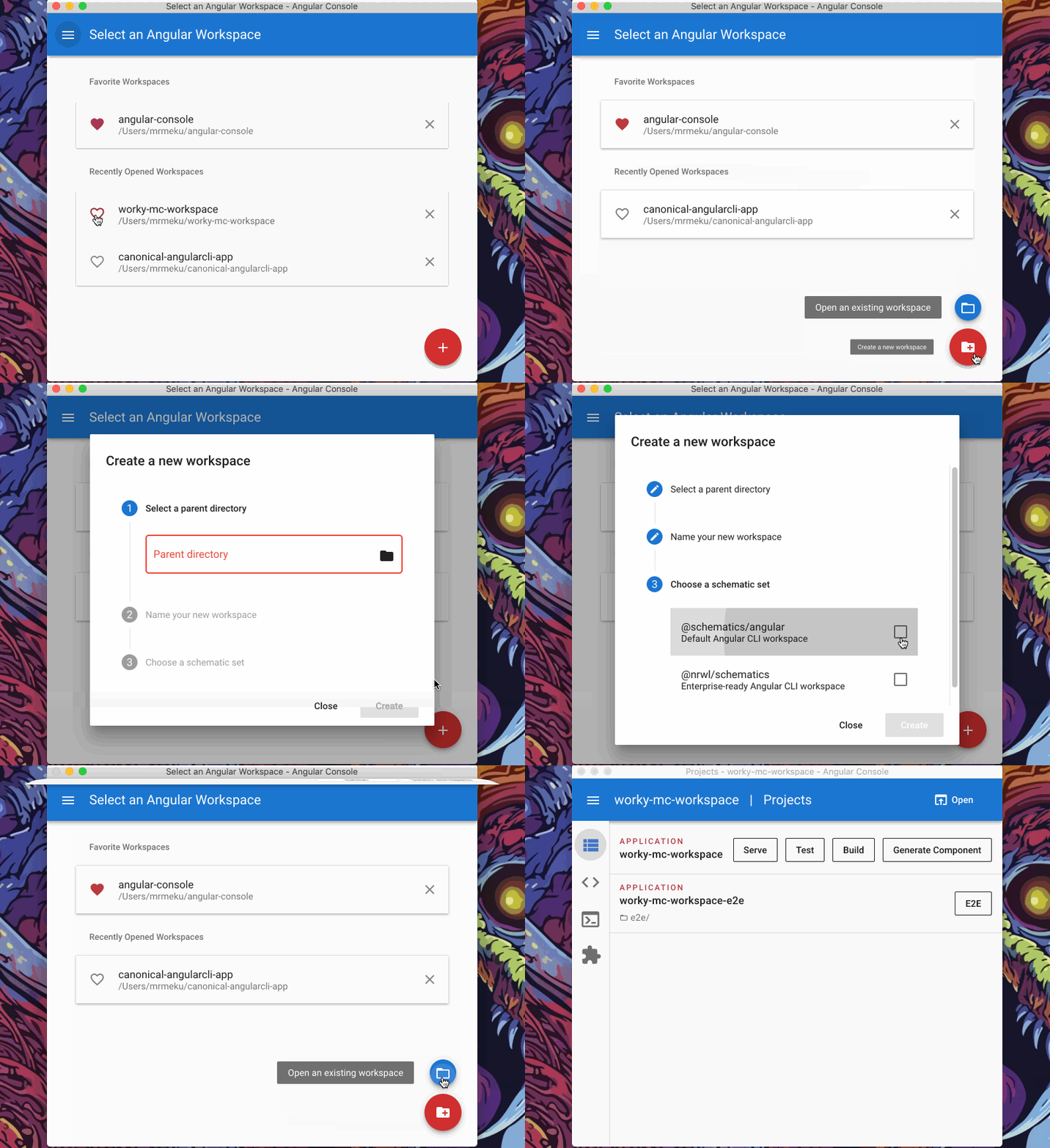
You can also create a new Nx project using Angular Console--UI for the CLI: