3.5 KiB
Getting Started
Installing Nx
Nx is just a set of power-ups for Angular CLI, so an Nx workspace is an Angular CLI workspace. This means that it will be handy to have the Angular CLI installed globally, which can be done via npm or yarn as well.
npm install -g @angular/cli
or
yarn global add @angular/cli
After you have installed the Angular CLI, install @nrwl/schematics.
npm install -g @nrwl/schematics
or
yarn global add @nrwl/schematics
Nx Workspace
Creating an Nx Workspace
To create an Nx workspace, run:
ng new myworkspace --collection=@nrw/schematics
The ng new command uses globally-installed packages. Anything installed globally can be in a messy state. If you have any problems running the command above, you can also run:
create-nx-workspace myworkspacename
This command still runs ng new under the hood, but it does it in a sandboxed environment, and, as a result, never fails.
Adding to an Existing Angular CLI workspace
If you already have a regular Angular CLI project, you can add Nx power-ups by running:
ng add @nrwl/schematics
Creating First Application
Unlike the CLI, an Nx workspace starts blank. There are no applications to build, serve, and test. To create one run:
ng g application myapp
The result will look like this:
<workspace name>/
├── README.md
├── angular.json
├── apps/
│   ├── myapp/
│   │   ├── browserslist
│   │   ├── jest.conf.js
│   │   ├── src/
│   │   │   ├── app/
│   │   │   ├── assets/
│   │   │   ├── environments/
│   │   │   ├── favicon.ico
│   │   │   ├── index.html
│   │   │   ├── main.ts
│   │   │   ├── polyfills.ts
│   │   │   ├── styles.scss
│   │   │   └── test.ts
│   │   ├── tsconfig.app.json
│   │   ├── tsconfig.json
│   │   ├── tsconfig.spec.json
│   │   └── tslint.json
│   └── myapp-e2e/
│       ├── cypress.json
│       ├── src/
│       │   ├── fixtures/
│       │   │   └── example.json
│       │   ├── integration/
│       │   │   └── app.spec.ts
│       │   ├── plugins/
│       │   │   └── index.ts
│       │   └── support/
│       │       ├── app.po.ts
│       │       ├── commands.ts
│       │       └── index.ts
│       ├── tsconfig.e2e.json
│       ├── tsconfig.json
│       └── tslint.json
├── libs/
├── nx.json
├── package.json
├── tools/
├── tsconfig.json
└── tslint.json
All the files that the CLI would have in a new project are still here, just in a different folder structure which makes it easier to create more applications and libraries in the future.
Serving Application
Run ng serve myapp to serve the newly generated application!
Use Angular Console
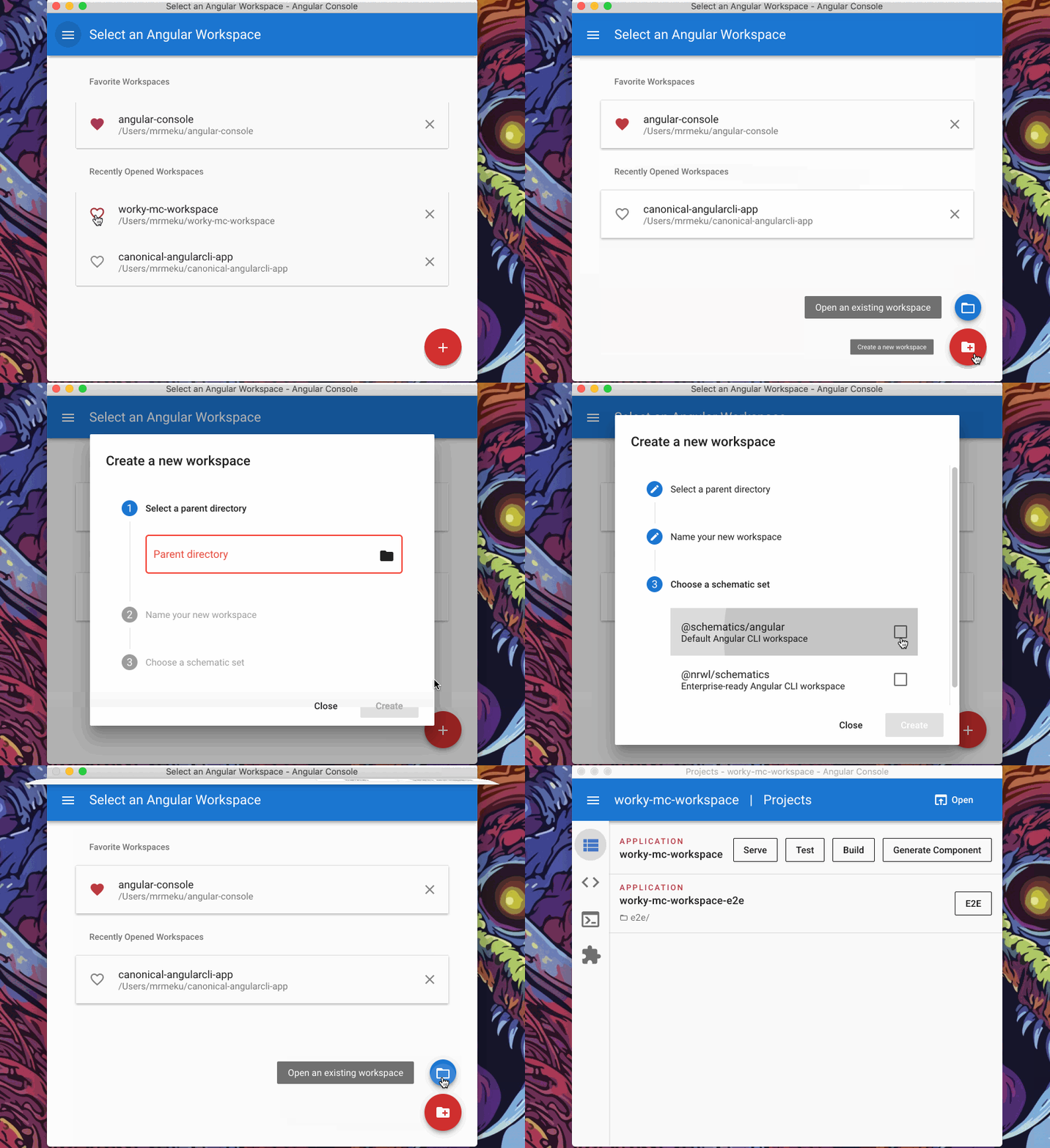
You can also create a new Nx project using Angular Console--UI for the CLI: